Strategy research for traders
Build trading strategies and test them on market history
Draw your entry and exit rules as a node graph, backtest them on historical candles, then replay every trade to see where the strategy holds up and where it breaks.
Start free See pricing
Free plan, no card required. No broker account needed to backtest.
Product
From an idea to evidence, in one workspace
QuantRaider covers the whole loop of strategy research: define the rules, test them on history, look at every trade and decide what to change.
Strategy builder
Describe your rules as a graph, not as code
Connect historical data, indicator, condition and arithmetic nodes on one canvas. Every node shows its inputs and outputs, so the logic behind an entry stays readable long after you wrote it.
- Drag nodes in from a library and wire them together
- Add a note to any node
- No programming required
Backtesting and replay
Replay every trade candle by candle
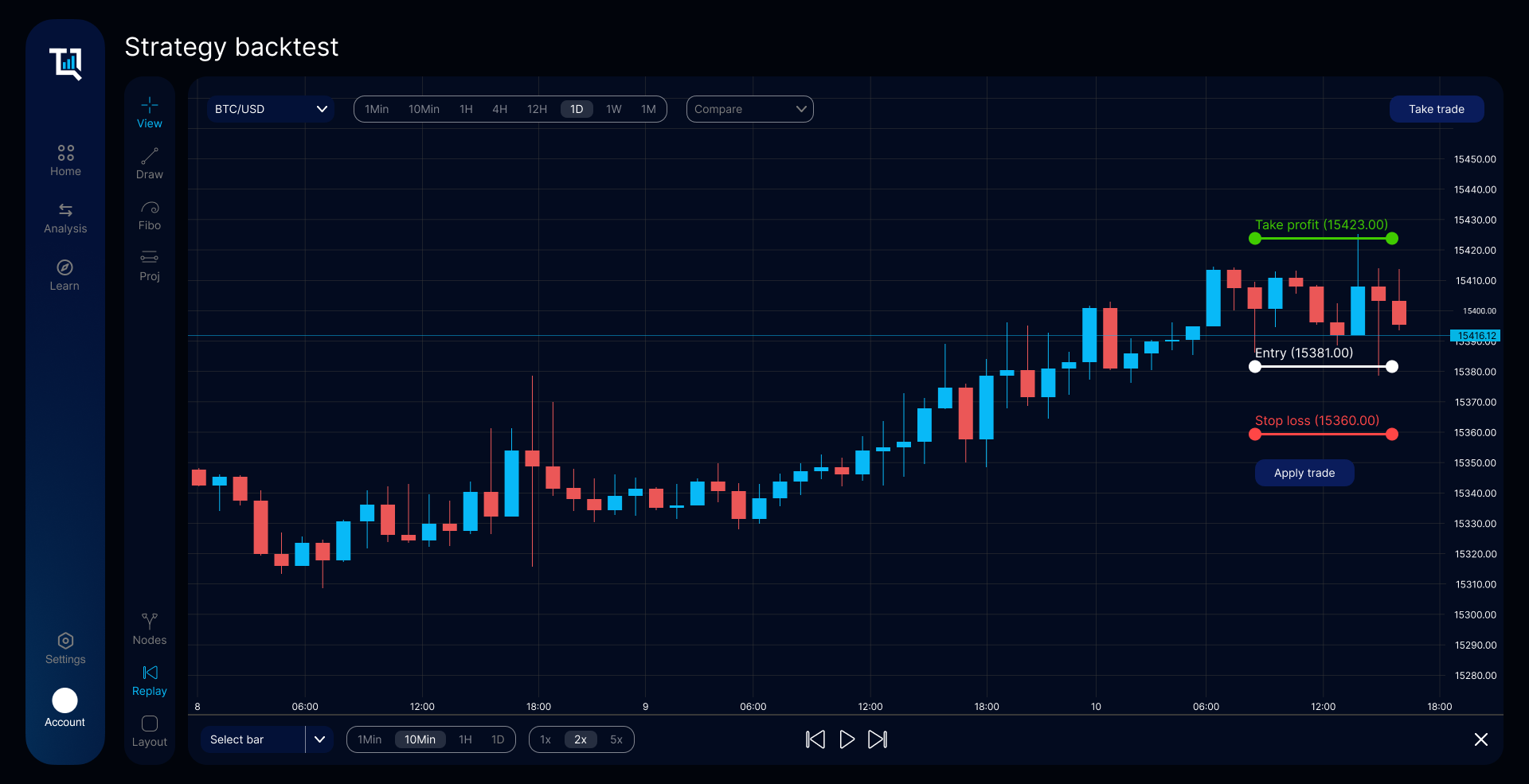
Run a strategy over historical candles, then step through the chart at the speed you choose. Entry, stop loss and take profit are drawn on the chart, so you can check each trade as it would have unfolded.
- Timeframes from one minute to one day
- Replay at 1x, 2x or 5x, or bar by bar
- Place and adjust trades on the chart
Trade analytics
See when a strategy makes money and when it doesn't
Break results down by day, hour and setting. Compare equity curves for different stop loss and take profit values, spot weak days on the calendar and find the hours where a strategy loses its edge.
- Win rate, average RR and expectancy
- Results by calendar day and hour of day
- Every trade with its tags and notes
Also in QuantRaider
- Automated backtests and optimisation. Run a strategy across ranges of stop loss, take profit and risk settings and compare the outcomes instead of testing one value at a time.
- AI models trained on your trades. Train a model on your own strategy's trade history and evaluate it on held-out test data against a fixed stop loss and take profit baseline.
- Learning material. Lessons inside the app that explain backtesting, risk and the metrics you see, next to the tools they describe.
How it works
Three steps, repeated until the strategy convinces you
Build a strategy graph
Pick a market and timeframe, then connect nodes for the data, indicators and conditions that define your entry, stop loss and take profit.
Backtest and replay
Run the graph over historical candles and step through the result trade by trade to check that it does what you meant.
Analyse and refine
Read the metrics, find the conditions where the strategy struggles, adjust the graph and test again.
Pricing
Start free, upgrade when you need more
The free plan covers building, backtesting and replaying strategies. Paid plans add automated backtesting, advanced analytics and AI model training.
Compare plans
Questions and answers
Short answers to what people ask before signing up. What each plan includes is listed on the pricing page.
What is QuantRaider?
A web app for designing trading strategies as node graphs, backtesting them on historical candles, replaying the resulting trades and analysing the results. It runs in the browser; there is nothing to install.
Does QuantRaider give investment advice?
No. QuantRaider is a software tool. It shows how a set of rules would have behaved on past data, and backtest results are hypothetical: they do not guarantee future performance. Decisions about real trades are yours.
Which markets and data can I test on?
Backtests run on historical candle data for the symbols available in the app, such as currency pairs and BTC/USD, on timeframes from one minute to one day. You choose the symbol and timeframe when you set up a strategy.
Do I need a broker account to backtest?
No. Building, backtesting, replaying and analysing strategies work without a broker. You only connect a broker if you decide to automate a strategy on your own account.
Is there a free plan?
Yes. You can create an account and use the free plan without a card. Paid plans add features such as automated backtesting and AI model training; current prices are on the pricing page.
Test your next idea before you trade it
Create a free account and build your first strategy graph in the browser.
Start free Log in